
Ask any experienced 3D printing enthusiast what tool they reach for most often, and I guarantee calipers will be near the top of the list. Not a fancy nozzle. Not specialty filament. A simple measuring tool that costs less than a spool of PLA.
I put off buying a good pair of digital calipers for way too long, thinking my metal ruler and eyeballing skills were "good enough." Spoiler: they weren't.
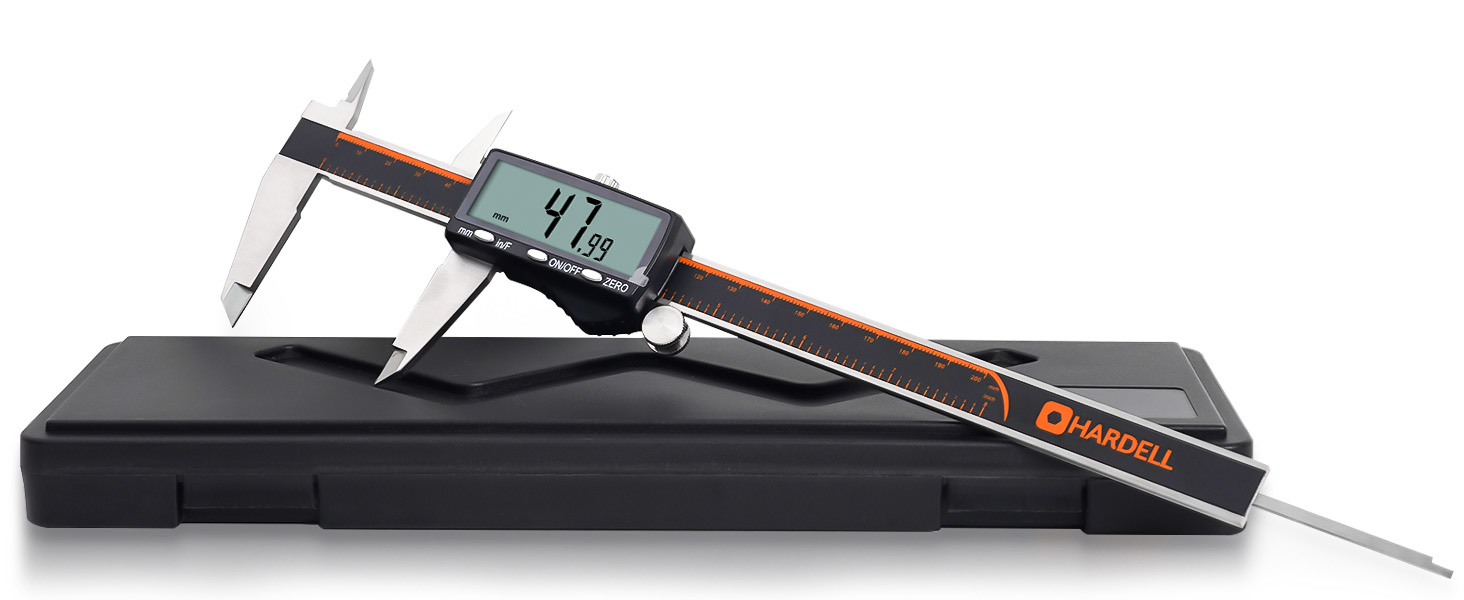
The Problem with Guessing
Here's a scenario you might recognize: you need to design a part that fits over an existing object—maybe a replacement knob, a custom bracket, or an enclosure for some electronics. You measure with a ruler, model it up, print it, and... it doesn't fit. Too tight. Or too loose. So you adjust, reprint, and repeat until you've wasted hours and filament on what should have been a 20-minute project.
The issue? Standard rulers can't give you the precision 3D printing demands. We're working in fractions of millimeters here. Your printer can place material with 0.1mm accuracy, but if your measurements are off by a full millimeter, that precision is worthless.
Enter the Digital Caliper
A good pair of digital calipers changes everything. Here's what I use mine for daily:
1. Measuring Objects for 3D Modeling
This is the big one. When I need to design a part that interfaces with something in the real world, I measure everything with my calipers:
- Outside diameter of pipes, rods, and cylinders
- Inside diameter of holes, tubes, and openings
- Depth of recesses and cavities
- Step measurements for shoulders and ledges
I plug these exact measurements into my CAD software, add my tolerances (usually 0.2-0.3mm for a snug fit), and the part fits the first time. No more guess-and-check printing.
2. Calibrating My Printer
Digital calipers are essential for dialing in your printer's accuracy:
- Measuring calibration cubes – Print a 20mm cube, measure all sides. If they're off, you know your steps/mm need adjustment.
- Checking first layer height – Measure the skirt or brim thickness to verify your Z-offset is correct.
- Verifying extrusion width – Measure single-wall prints to ensure your flow rate is accurate.
3. Quality Control on Prints
Before I assemble multi-part prints or declare a functional part "done," I verify critical dimensions with my digital calipers. Holes that need to accept bolts, tabs that need to fit into slots, threads that need to mate—all get measured.
4. Measuring Filament and Resin Print Layers
Not all filament is created equal. "1.75mm" filament can vary between manufacturers (and even between spools from the same manufacturer). I spot-check my filament diameter in several places and use the average in my slicer settings for more accurate extrusion. For resin printing, I'll verify layer accuracy on test prints to dial in exposure settings.
Why I Chose Rechargeable Calipers
After going through countless button cell batteries on my old calipers—usually dying at the worst possible moment—I switched to a rechargeable pair, and I'm never going back.
The ones I use now have a Type-C charging port (finally, a cable I already have everywhere), charge fully in about 20 minutes, and last around 3 months of regular use. No more hunting for CR2032 batteries or discovering my calipers are dead mid-project.
It's a small thing, but it makes a real difference in day-to-day use. Plus, it's more environmentally friendly than burning through disposable batteries.
The Specs That Matter for 3D Printing
Not all calipers are created equal. Here's what I look for, and what my current pair delivers:
Precision: ±0.001" / 0.03mm accuracy with 0.0005" / 0.01mm resolution. This is more than enough for 3D printing work—you're measuring well within the tolerances your printer can actually achieve.
Precision glass grating: This is what gives the calipers their accuracy and longevity. Cheaper calipers use materials that wear out faster and drift over time.
Three unit modes: Instant switching between inches, millimeters, and fractions. I primarily work in mm for 3D printing, but fractions are handy when dealing with imperial hardware from the hardware store.
Four measurement modes: Outside diameter, inside diameter, depth, and step measurements—all from one tool.
Stainless steel construction: The polished edges and smooth sliding action make a real difference when you're taking dozens of measurements. Plastic calipers just don't compare.
Large LCD display: Easy to read in any lighting. I've used these in my dim basement workshop and outside in bright sunlight—no issues either way.
Auto-off: Shuts down after 5 minutes of inactivity. Combined with the rechargeable battery, I basically never think about power management anymore.
Choosing Your Size: 6", 8", or 12"
These calipers come in 6-inch, 8-inch, and 12-inch versions. Here's how I think about sizing:
6-inch – Perfect for most 3D printing work. Handles the vast majority of parts you'll print and objects you'll measure. Most portable option.
8-inch – My personal choice. Gives extra reach for larger prints and assembled projects without being unwieldy. The sweet spot for versatility.
12-inch – For larger format printers or if you frequently measure bigger objects. Overkill for typical use, but essential if you're working with large-scale prints.
If you're unsure, start with 6" or 8". You can always add a larger pair later if your projects demand it.
My Workflow: From Real Object to 3D Model
Here's how I approach designing parts that need to fit existing objects:
- Measure everything – I take multiple measurements of each dimension with my digital calipers and note any variation.
- Document in a sketch – I draw a quick diagram with all dimensions labeled. This becomes my reference.
- Model with tolerances – For holes that receive bolts, I add 0.3mm. For press-fits, I subtract 0.1-0.2mm. For sliding fits, I add 0.2mm per side.
- Print a test piece first – For complex fits, I'll print just the mating section before committing to the full print.
- Measure the test print – Compare printed dimensions to the model. Adjust if needed.
- Final print – With verified dimensions, the full print fits perfectly.
This workflow has saved me countless failed prints. The calipers pay for themselves in filament savings alone.
Beyond 3D Printing
Once you have digital calipers on your desk, you'll find yourself using them for everything:
- Checking the thickness of materials for laser cutting
- Measuring hardware for CAD models
- Verifying dimensions on purchased parts
- Identifying mystery bolts and nuts (the depth gauge is perfect for measuring thread pitch)
- Woodworking and DIY projects
- Jewelry making and gemstone setting
- Verifying conduit and pipe sizes for electrical work
They've become one of those tools I can't imagine not having.
The Bottom Line
If you're doing any amount of 3D printing—especially functional prints or parts that need to interface with real-world objects—digital calipers aren't optional. They're essential.
The rechargeable battery, precision glass grating, and stainless steel build mean these will last for years of daily use. The time you'll save not reprinting failed parts, the filament you won't waste on guess-and-check iterations, and the satisfaction of nailing fits on the first try—it's all worth far more than the cost of a quality pair of calipers.
Your future self (and your filament budget) will thank you.